Tour Guides: Discover a Destination Through Local Stories

tour guides

Tour Guides: Bringing a Destination to Life

A memorable journey is about more than the places you visit. It is also shaped by the stories you hear, the people you meet and the details you might otherwise miss. A knowledgeable tour guide can bring all of these elements together, helping visitors understand a destination beyond its landmarks and photographs.

What does a tour guide do?

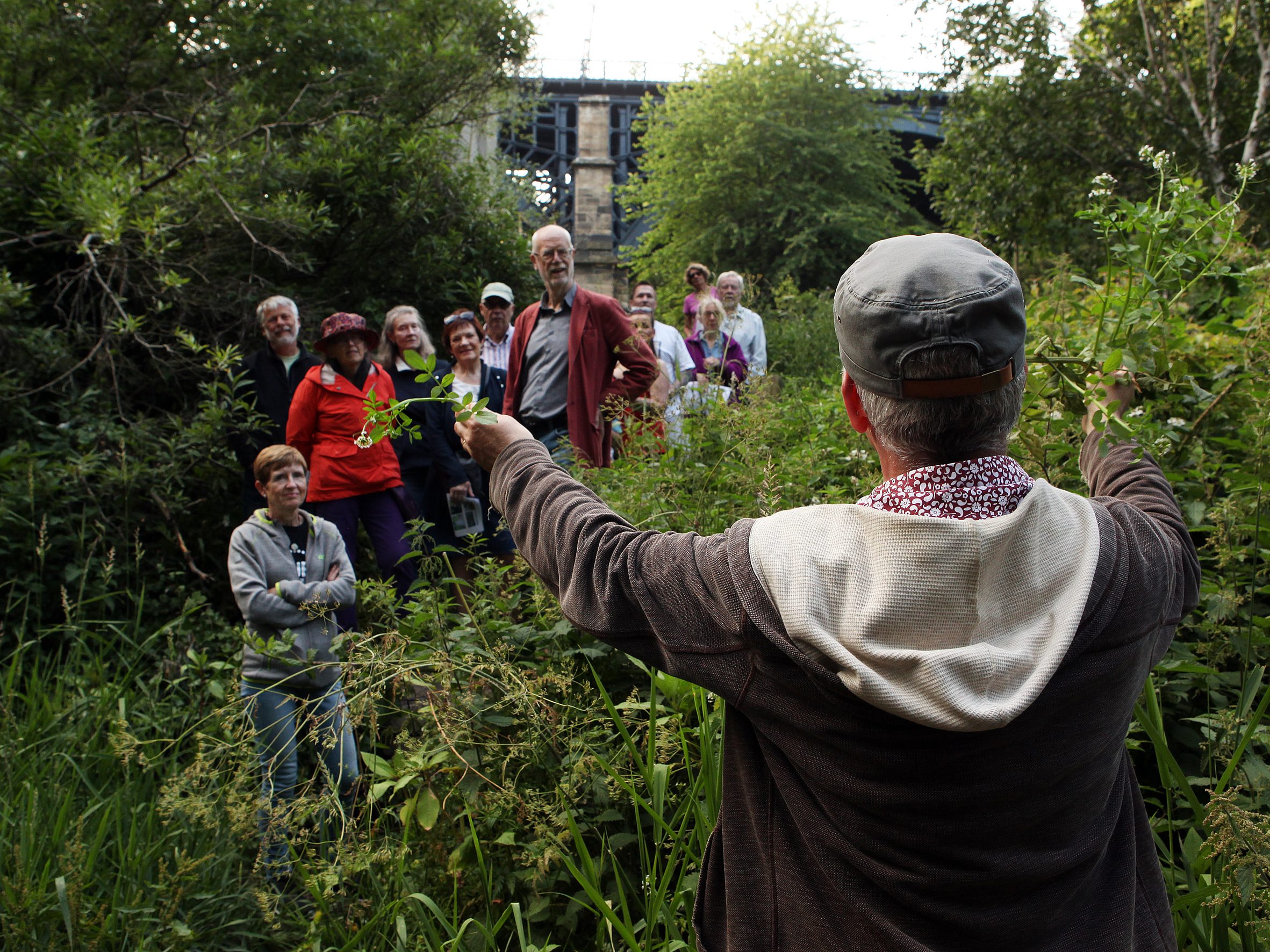
Tour guides introduce visitors to a place and help them explore it with confidence. Depending on the tour, they may explain local history, point out architectural features, share cultural traditions or offer practical advice. They can also help organise the route, answer questions and make sure the group has time to enjoy the experience.

The best guides do more than recite facts. They connect information to the places around them, adapting their explanations to the interests of the group. A walk through an old town, for example, might become a conversation about its changing communities, local customs and everyday life.

Why choose a local guide?

Local guides often offer valuable insight into the character of a destination. They may know the history behind a modest-looking building, recommend a family-run café or explain the significance of a festival or custom. Their knowledge can add depth to a visit and help travellers see beyond the most familiar sights.

In a country such as Armenia, a guide can help visitors make connections between ancient heritage and contemporary life. Historical sites, monasteries, landscapes and cities each have their own stories, and a well-informed guide can place them in context while sharing perspectives rooted in local experience.

Choosing the right tour

Before booking, consider what you would like from the experience. Some tours focus on history or architecture, while others explore food, nature, crafts or neighbourhood life. Check the tour’s length, group size, meeting point and accessibility, and make sure the language is suitable for everyone taking part.

It is also worth reading recent reviews and checking what is included in the price. If you have particular interests or requirements, ask the guide in advance whether the itinerary can be adapted. A good guide will be clear about what the tour offers and happy to answer reasonable questions.

Making the most of your experience

  • Arrive at the meeting point on time and wear comfortable footwear.
  • Bring water and weather-appropriate clothing, especially for outdoor excursions.
  • Ask questions: a conversation can make the tour more rewarding.
  • Be considerate when visiting religious or culturally significant places.
  • Follow guidance about photography, local customs and access to private spaces.

A richer way to explore

Tour guides can turn a collection of sights into a more meaningful journey. Through their knowledge, stories and recommendations, they help visitors understand not only what they are seeing, but why it matters. Whether exploring a historic city, a mountain landscape or a local market, choosing the right guide can make a trip more engaging and memorable.


Essential Tips for Choosing and Enjoying a Tour Guide Experience

  1. Choose a guide with strong local knowledge.
  2. Check reviews before booking.
  3. Ask about group size and pace.
  4. Wear comfortable shoes and weather-appropriate clothes.
  5. Arrive on time at the meeting point.
  6. Tip only if it feels deserved.

Choose a guide with strong local knowledge.

Choose a guide with strong local knowledge to gain a deeper understanding of the places you visit. A local guide can share the stories behind historic sites, explain customs and traditions, and point you towards neighbourhoods or experiences you might otherwise miss. Their first-hand insight can help you see a destination through the eyes of the people who live there.

Check reviews before booking.

Before booking a tour, take a few minutes to read recent reviews from other travellers. Look for comments on the guide’s knowledge, communication, punctuality and ability to make the experience engaging. Reviews can also reveal practical details, such as whether the pace is suitable or the tour matches its description. Consider several opinions rather than relying on a single review, and check that feedback relates to the specific tour you plan to book.

Ask about group size and pace.

Ask about the group size and pace before booking a tour. Smaller groups can make it easier to hear the guide, ask questions and explore places without feeling rushed, while larger groups may offer a more sociable atmosphere. Check how much walking is involved, whether there are regular breaks and how quickly the itinerary moves between stops, so you can choose a tour that suits your interests and comfort level.

Wear comfortable shoes and weather-appropriate clothes.

Wear comfortable shoes and weather-appropriate clothing to make the most of your tour. You may be walking or standing for long periods, and the weather can change during the day, particularly on outdoor excursions. Check the forecast beforehand and choose practical layers to stay comfortable throughout.

Arrive on time at the meeting point.

Arrive at the meeting point on time so the tour can begin as planned and the group does not have to wait. Check the location and route in advance, and allow extra time for traffic or getting lost. If you are delayed, contact the guide as soon as possible.

Tip only if it feels deserved.

Tipping your tour guide is a personal choice, not an obligation. If the guide made your experience especially informative, enjoyable or welcoming, a tip can be a thoughtful way to show appreciation. Consider local customs and what you can comfortably afford; a sincere thank-you is always welcome, too.

Discovering Armenia’s Historic Sites: A Journey Through Time

sites

The Beauty of Armenia: Exploring Its Historic Sites

Armenia, a country steeped in history and culture, is home to a plethora of stunning sites that showcase its rich heritage. From ancient monasteries to breathtaking landscapes, Armenia offers visitors a unique blend of beauty and significance.

Tatev Monastery

Perched on a cliff edge overlooking the Vorotan River Gorge, Tatev Monastery is a masterpiece of medieval Armenian architecture. Dating back to the 9th century, this UNESCO World Heritage Site is not only a religious centre but also a symbol of Armenian resilience and creativity.

Lake Sevan

Known as the “jewel of Armenia,” Lake Sevan is one of the largest high-altitude lakes in the world. Surrounded by picturesque mountains, this serene lake offers visitors the perfect setting for relaxation and reflection. The Sevanavank Monastery on its shores adds to the charm of this natural wonder.

Geghard Monastery

Carved into the rock face of the Azat River Gorge, Geghard Monastery is a testament to Armenia’s architectural ingenuity. The monastery complex, partly built in the 4th century, is renowned for its intricate stone carvings and spiritual significance.

Garni Temple

Located near the village of Garni, this Hellenistic-style temple stands as a reminder of Armenia’s pagan past. Built in the 1st century AD, Garni Temple offers visitors a glimpse into ancient Armenian religious practices and architectural prowess.

Whether you are drawn to ancient history, natural beauty, or spiritual enlightenment, Armenia’s historic sites have something to offer everyone. Each site tells a story that resonates through time, inviting visitors to explore and appreciate the wonders of this captivating country.


Frequently Asked Questions About Websites and Google Sites

  1. How to make a web site?
  2. Can you use Google Sites for a website?
  3. What is Sites app?
  4. What does Google Sites do?
  5. What are Sites used for?
  6. What is the use of Sites?
  7. What are the 5 types of websites?
  8. How do I find Google Sites?
  9. What will replace Google Sites?
  10. What are examples of Google Sites?
  11. Is Google Sites a free website?
  12. What is the use of Sites in Google?
  13. What is the new Google Sites?
  14. What are the 7 types of websites?

How to make a web site?

Creating a website involves several key steps to ensure a successful online presence. Firstly, it is essential to choose a domain name that reflects your brand or purpose. Next, selecting a reliable web hosting service is crucial for storing your website’s files and making it accessible on the internet. Designing the layout and structure of your site, including user-friendly navigation and visually appealing content, is also important. Incorporating relevant and engaging content, such as text, images, and videos, will help attract and retain visitors. Finally, testing your website across different devices and browsers to ensure compatibility and usability is vital before launching it to the public. By following these steps diligently, you can create a professional and effective website for your intended audience.

Can you use Google Sites for a website?

Yes, Google Sites can be used to create a website. Google Sites is a free and user-friendly platform that allows individuals and businesses to easily design and publish websites without the need for coding knowledge. With its drag-and-drop interface and various templates, users can customise their websites to suit their needs, whether it’s for personal projects, portfolios, or small business websites. Google Sites also integrates seamlessly with other Google services, making it a convenient option for those already using Google’s ecosystem. Overall, Google Sites provides a simple yet effective solution for creating basic websites quickly and efficiently.

What is Sites app?

The Sites app is a versatile platform that allows users to create and design websites with ease. Whether you are a beginner looking to establish an online presence or a seasoned web developer seeking efficiency, Sites app offers intuitive tools and templates to streamline the website-building process. With its user-friendly interface and customizable features, Sites app empowers individuals and businesses to showcase their content in a professional and visually appealing manner.

What does Google Sites do?

Google Sites is a versatile online platform that allows users to create and share websites effortlessly. Whether you need a simple webpage for personal use or a collaborative site for team projects, Google Sites offers intuitive tools for designing and customising web content. With features such as drag-and-drop functionality, integration with other Google services, and easy sharing options, Google Sites simplifies the process of building and managing websites, making it an ideal choice for individuals and businesses looking to establish an online presence quickly and efficiently.

What are Sites used for?

Sites, also known as websites, serve a multitude of purposes in the digital realm. They act as virtual spaces where individuals, businesses, organisations, and institutions can establish an online presence and communicate with a global audience. Sites are used for sharing information, promoting products or services, engaging with customers or followers, conducting e-commerce transactions, publishing content such as articles or blogs, and providing a platform for interaction and collaboration. Essentially, sites serve as dynamic hubs of communication and connectivity in the modern digital age.

What is the use of Sites?

Sites play a crucial role in various aspects of our lives, serving as digital platforms where information, services, and resources can be accessed and shared. From personal blogs to corporate websites, sites enable individuals and organisations to establish an online presence, communicate with their audience, showcase products or ideas, conduct business transactions, and more. They serve as virtual spaces that bridge the gap between creators and consumers, educators and learners, businesses and customers. In essence, sites facilitate connectivity and engagement in the digital age, offering a diverse range of functionalities that cater to different needs and purposes.

What are the 5 types of websites?

There are five main types of websites that serve different purposes and cater to varying needs. Firstly, informational websites provide content such as articles, blogs, and news updates to educate and inform visitors. E-commerce websites allow users to buy and sell products or services online, facilitating transactions in a digital marketplace. Next, entertainment websites offer a range of media content like videos, games, and music for leisure and enjoyment. Social media platforms enable users to connect, interact, and share information with others in a virtual community. Lastly, business or corporate websites serve as online representations of companies, showcasing their products, services, and brand identity to attract customers and clients. Each type of website plays a distinct role in the digital landscape, catering to diverse user preferences and objectives.

How do I find Google Sites?

To access Google Sites, you can simply navigate to the Google homepage and click on the grid icon at the top right corner of the screen. From there, select “Sites” from the list of available Google apps. Alternatively, you can directly visit sites.google.com in your web browser to access Google Sites. Once on the platform, you can create, edit, and manage your own websites with ease using the intuitive tools and templates provided by Google Sites.

What will replace Google Sites?

As the technology landscape continues to evolve, the question of what will replace Google Sites remains a common inquiry among users seeking alternative platforms for creating and managing websites. While Google Sites has been a popular choice for its simplicity and integration with other Google services, there are several emerging website builders and content management systems that offer more advanced features and customisation options. Platforms such as WordPress, Wix, Squarespace, and Weebly are gaining traction as viable alternatives to Google Sites, providing users with greater flexibility in design, functionality, and scalability for their online projects. It is essential for individuals and businesses to explore these alternatives to find the platform that best suits their specific needs and preferences in the ever-changing digital landscape.

What are examples of Google Sites?

Google Sites is a versatile platform that allows users to create and share websites effortlessly. Some examples of Google Sites include personal portfolios showcasing creative work, collaborative team project sites for businesses, educational websites for students and teachers to share resources, event websites for organising gatherings or conferences, and informational sites for clubs or organisations to communicate with their members. With its user-friendly interface and integration with other Google tools, Google Sites offers a convenient way to build various types of websites tailored to different needs and purposes.

Is Google Sites a free website?

Yes, Google Sites is a free website-building tool offered by Google. Users can create and publish websites using Google Sites without any cost. It provides a user-friendly platform with easy-to-use templates and drag-and-drop functionality, making it accessible for individuals and businesses looking to establish an online presence without the need for advanced technical skills or financial investment. Google Sites also integrates seamlessly with other Google services, allowing users to collaborate and share their websites effortlessly.

What is the use of Sites in Google?

Sites in Google serve as a versatile platform for creating and sharing web pages, allowing users to build their own websites without the need for advanced technical skills. Whether for personal projects, professional portfolios, or collaborative ventures, Google Sites offers a user-friendly interface for designing and customising web content. Users can easily integrate various media elements, organise information effectively, and collaborate with others in real-time. With its intuitive tools and seamless integration with other Google services, Sites provides a convenient solution for individuals and teams looking to establish an online presence quickly and efficiently.

What is the new Google Sites?

The new Google Sites is a user-friendly website creation tool that allows individuals and businesses to easily build and share websites without the need for coding knowledge. Launched as a part of Google’s G Suite platform, the new Google Sites offers a streamlined interface, drag-and-drop functionality, and seamless integration with other Google services. With its intuitive design and collaborative features, users can create professional-looking websites for various purposes, such as portfolios, project sites, or team intranets. Overall, the new Google Sites provides a convenient and efficient solution for anyone looking to establish an online presence quickly and effectively.

What are the 7 types of websites?

In the realm of web design and development, there are seven common types of websites that serve varying purposes and cater to different audiences. These include e-commerce websites, which facilitate online buying and selling; informational websites, designed to provide knowledge and resources on specific topics; portfolio websites, showcasing an individual’s or a company’s work and achievements; blog websites, offering regular content updates on various subjects; entertainment websites, focusing on providing amusement and leisure activities; media-sharing websites, allowing users to upload and share multimedia content; and educational websites, dedicated to delivering learning materials and courses online. Each type of website serves a distinct function in the digital landscape, catering to diverse needs and interests of users worldwide.